 SpaceSaver
See what is filling your Mac
SpaceSaver finds your biggest files and colour-codes them by how safe they are to delete — then copies the ones you want to keep onto an external drive or Google Drive.
Download free for Mac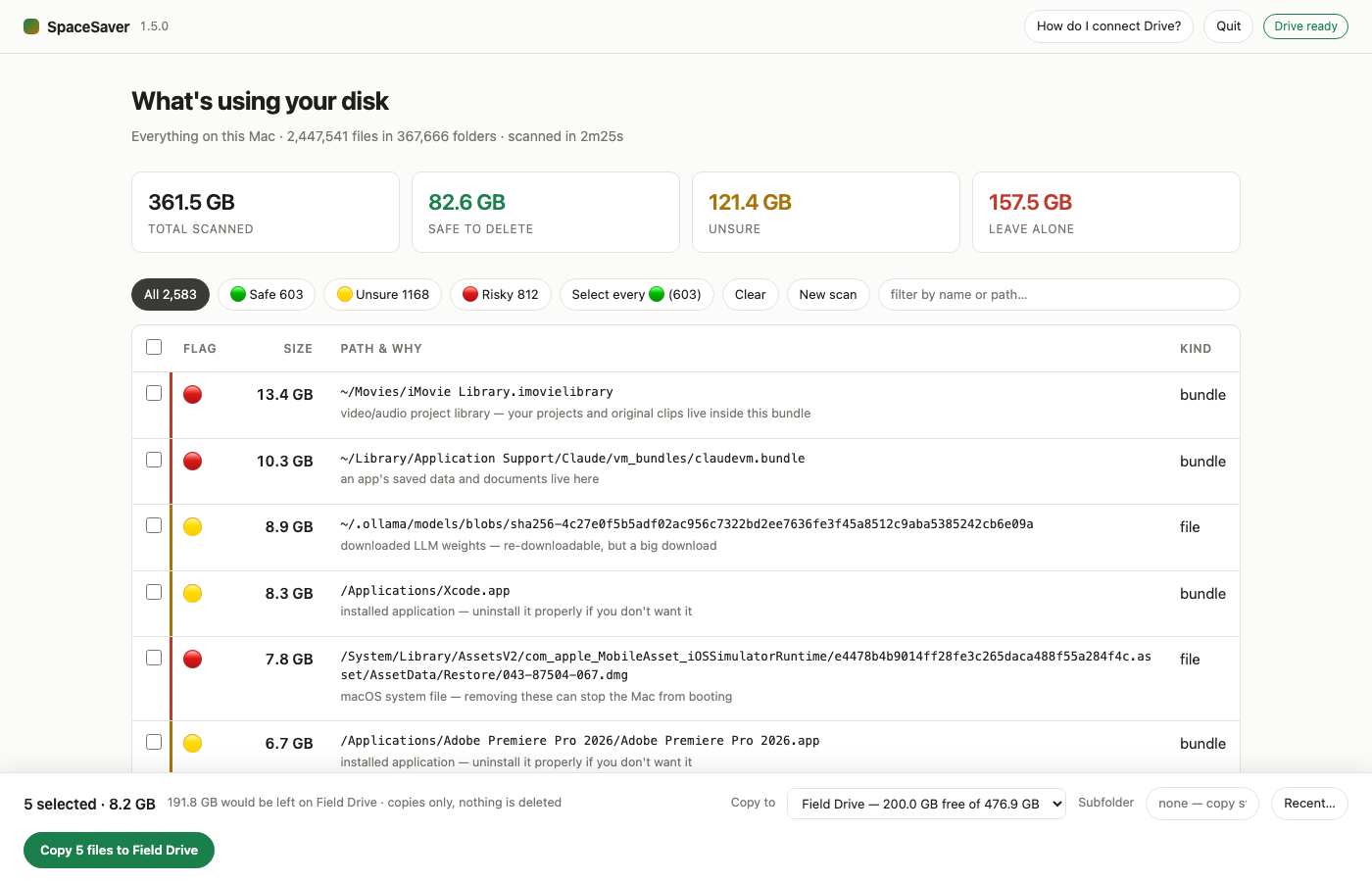
Green, yellow, red
Every file gets a flag, with the reason written next to it in plain English.
Safe to delete
Caches, build output, node_modules, logs, finished installers,
the Trash. Things an app rebuilds by itself, or that you can download again.
Not sure — look first
Your videos, photos and documents. Virtual machine disks, downloaded AI models, installed applications. Big, and only you know what matters.
Leave alone
System files, keychains, iCloud Drive, Photos and iMovie libraries, an app's saved data, git history. Removing these breaks things.
SpaceSaver never deletes anything. It reads your disk and copies the files you tick. Every deletion is done by you, in the Finder — and the colour coding is a well-informed guess, not a guarantee. Check before you remove anything.
Back up before you clear
Tick the files worth keeping and copy them somewhere else in one go. Choose an external drive, an SD card, Google Drive, or any folder. SpaceSaver shows the free space on each so you know it will fit before you start, and remembers where you have backed up before.
External drives and cards
Any connected drive, listed with its free space. Files copy straight in — no folder is created unless you ask for one.
Google Drive
Install Google Drive for Desktop and SpaceSaver finds it on its own. No sign-in inside the app.
Nothing leaves your Mac
The scan runs entirely on your machine. Nothing is uploaded anywhere unless you choose a destination and press the button.
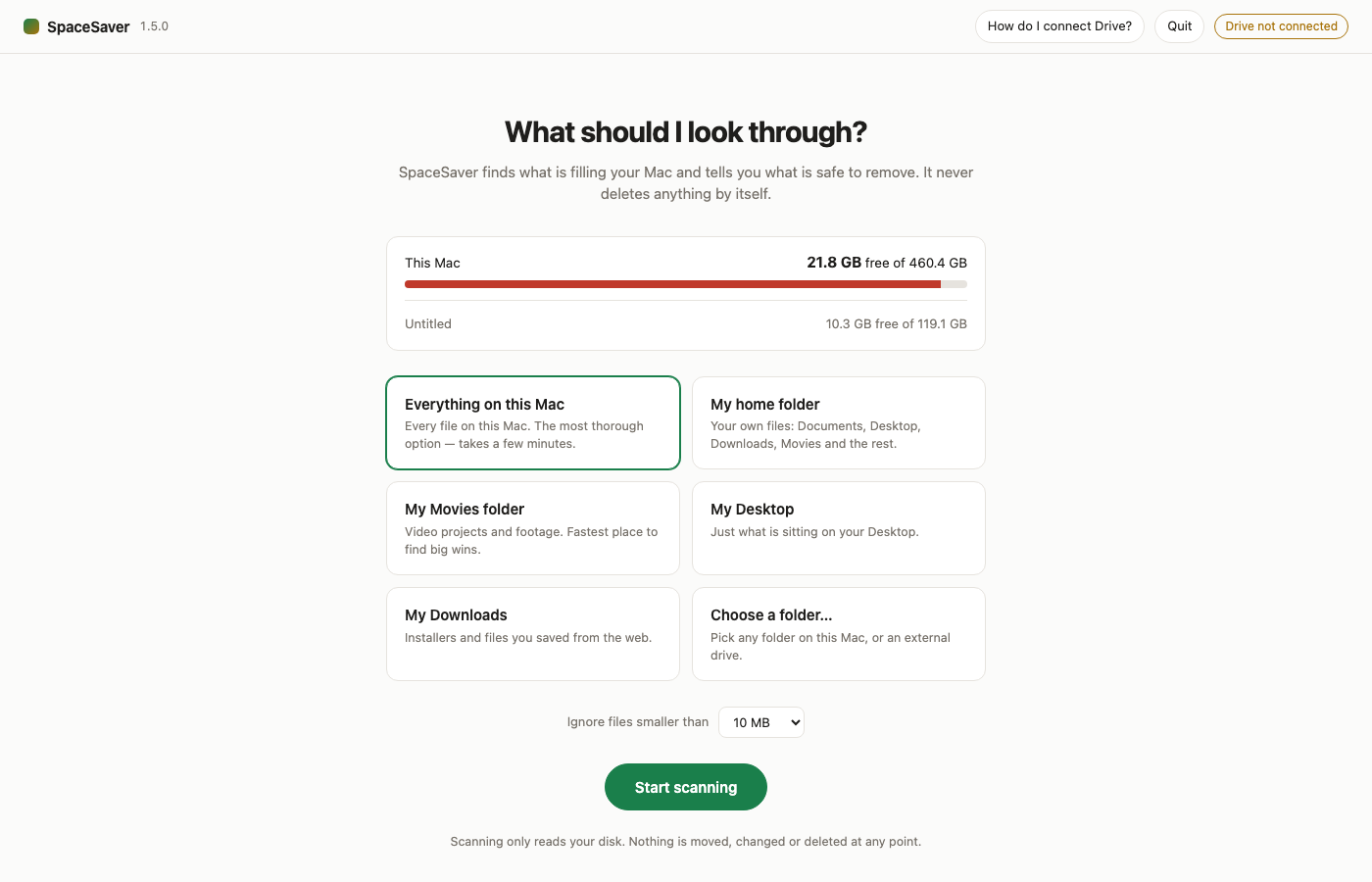
Pick what to look through
Scan the whole Mac, just your home folder, or a single folder such as Movies. A progress bar shows how far along it is and how long is left.
Getting it open
Open the downloaded disk image and drag SpaceSaver into your Applications folder. The first time you open it macOS asks whether you are sure — that is normal for anything downloaded from the web. The app is signed and notarized by Apple, so there is no need to change any security settings.